System overview and how to begin.
Getting started with poultry control systems
Getting started (Farm Admin)
What the Main Hub screen is
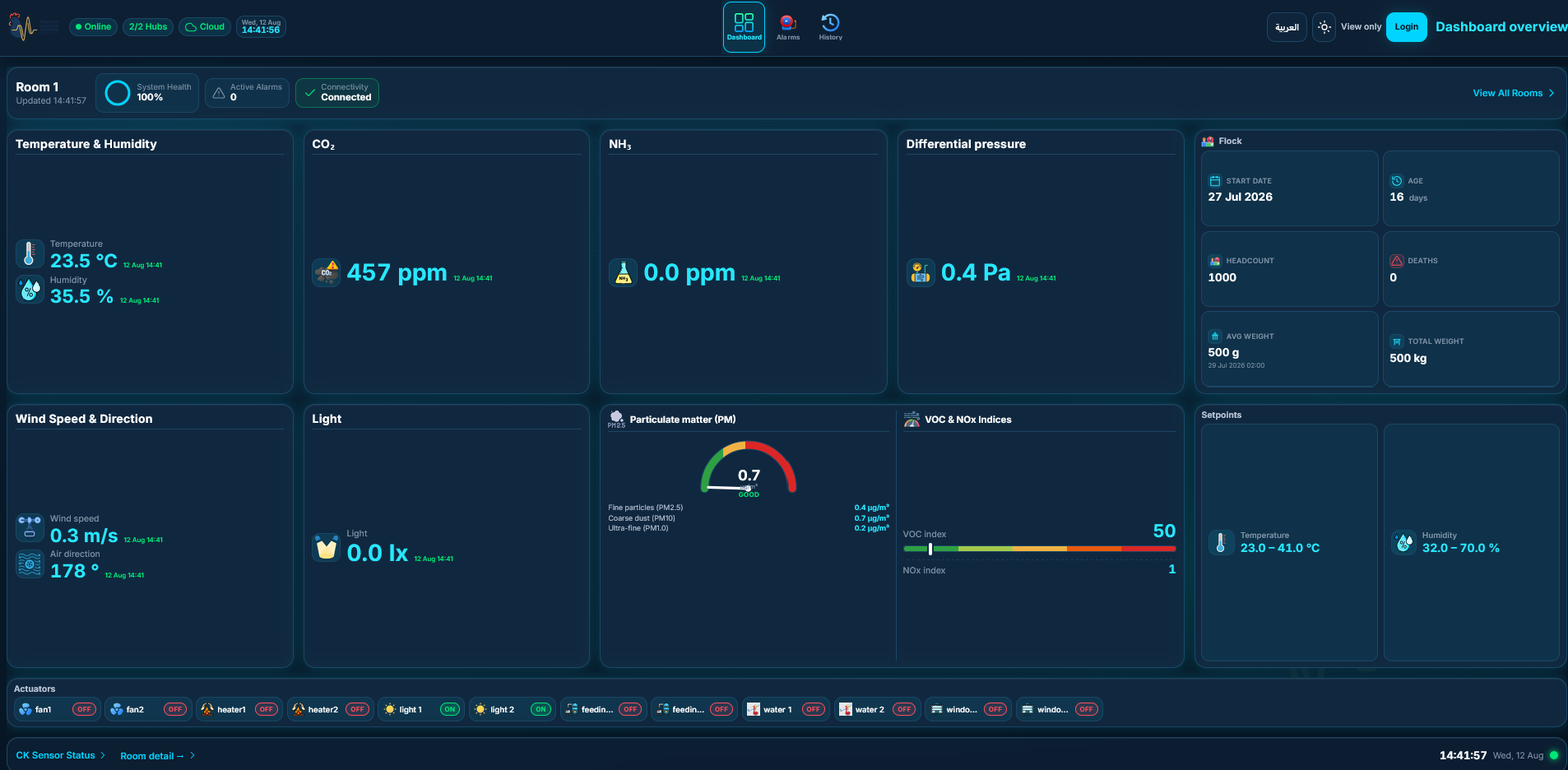
The Main Hub HMI is the local farm screen for monitoring climate, alarms, flock, and day-to-day control. It works on the farm even if the internet is down. Cloud / mobile is optional for remote viewing.
How to open the HMI
On the farm PC or kiosk display, open a browser.
Go to
http://<hub-ip>:30080(your installer will give the exact address).Sign in with your farm admin username and password → Login.
Your role: Farm Admin
Farm admin can do everything an operator can, plus:
View Sensor Hubs (wireless stations)
Open Diagnostics (health, codes, restart kiosk / reboot)
You typically cannot open company-only menus such as Settings, Users, OTA, Hub updates, Provisioning. See Menus you do not see.
Menu map (farm admin)
Menu | Purpose |
|---|---|
Dashboard | Live overview |
Alarms | Alarm list |
History | Past readings |
Actuators | Manual equipment control |
Flock | Grow-out cycle |
Configuration | Room setpoints / config |
Sensor Hubs | Station online / offline |
Diagnostics | System health & host actions |
Schedules | Time-based programs |
Daily checklist
Dashboard — values updating? connection OK?
Alarms — anything active that needs acknowledge?
Sensor Hubs — all stations online?
Diagnostics — health score healthy if something feels wrong?
Need more help?
Contact Nabd / ASF support by phone, email, or a report from myfarm. Remote help is available when the hub is online; on-site support can be arranged when needed.